

Getting started
Set up your ToteRentalSuite workspace
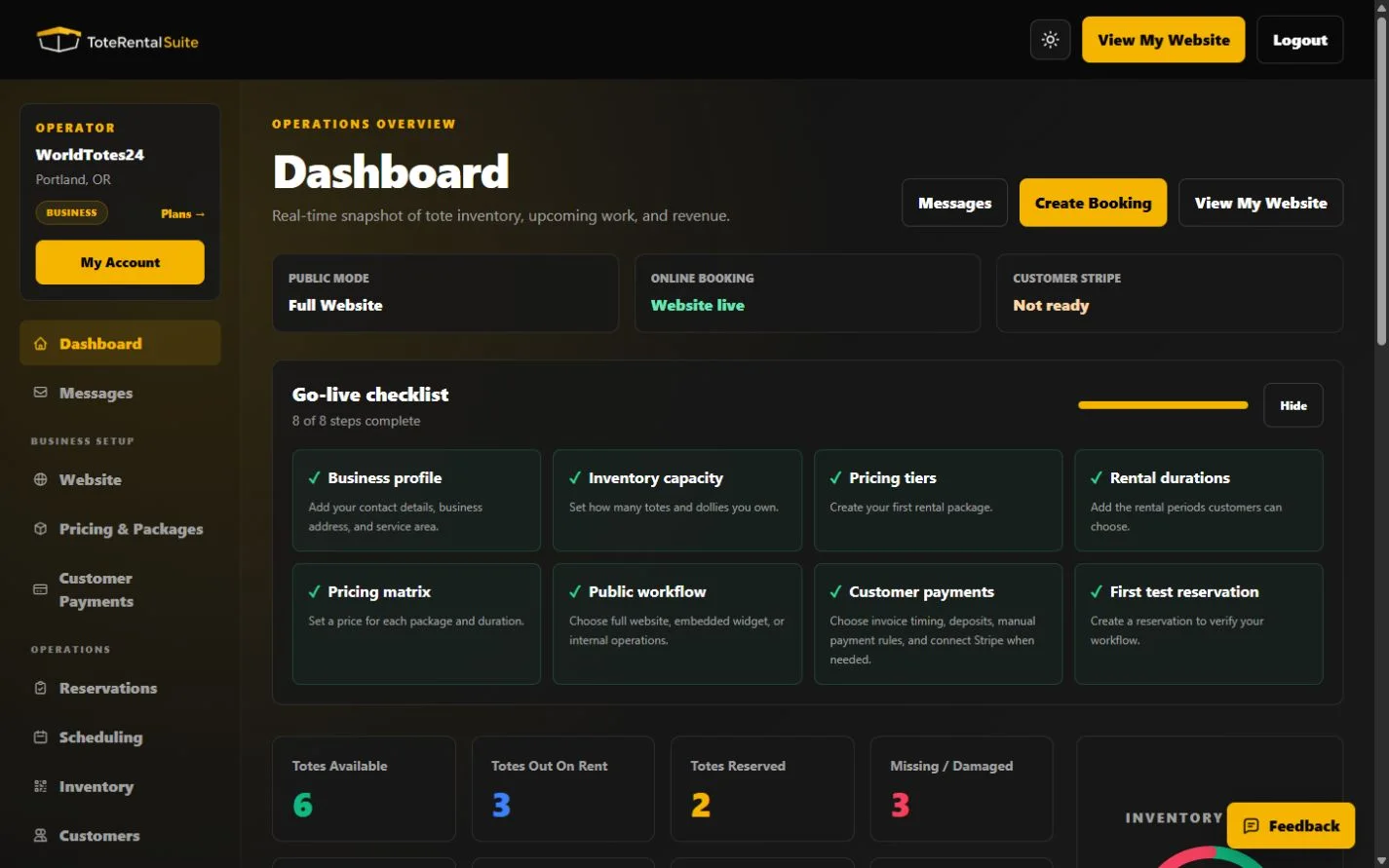
Complete the eight dashboard setup checks in the same order the product presents them.
Follow the dashboard checklist
The setup checklist is your source of truth for launch readiness. Complete Business profile, Inventory capacity, Pricing tiers, Rental durations, Pricing matrix, Public workflow, Customer payments, and First test reservation.
- Add your business profile
Open Website, choose Business Profile, and save your public contact and service-area details.
- Define what you can rent
Set inventory capacity, then create packages, durations, and every price you intend to offer.
- Choose the request workflow
Under Website → Publishing, decide whether requests become pending, confirmed, or quotes.
- Review customer payments
Customer Payments is separate from your ToteRentalSuite Platform Plan. Configure it even if you accept only offline payment.
- Create a test reservation
Use fictional contact details and run the reservation through your normal operating steps before sharing the public link.
Plan-aware setup
Free includes core operations, invoices, scheduling, Stripe Connect, a customizable hosted website, rental terms, FAQs, and SEO title/meta controls. Growth adds unlimited bookings, booking add-ons, a custom domain, and an embedded widget. Pro adds operator SMS, Business Trailer, and up to five locations. Business supports up to ten locations and adds customer SMS, Full White Label, and a free domain-registration request subject to review and availability.